
Dodge Journey: Installation
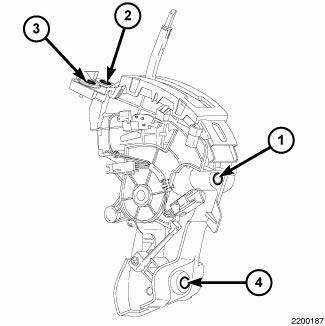
Fig. 404: Identifying Shifter Mounting Bolts
1. Install the shifter mounting bolts and tighten to 20 N.m (15 ft. lbs.) in the proper sequence as indicated on drawing.
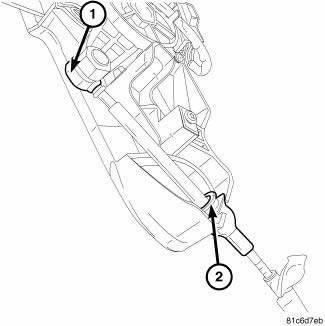
Fig. 405: Identifying Shift Cable At Shifter
NOTE: Ensure the lock tab is in the lock position after the cable is installed onto the shifter housing (2).
2. Install the shift cable (1, 2) at the shifter.
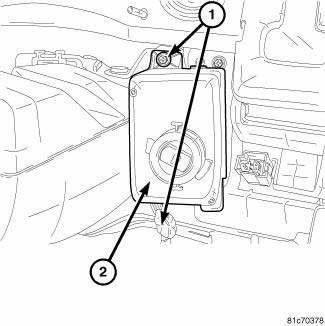
Fig. 406: Removing/Installing Screws At Win
3. Install the WIN (2) and install the mounting screws (1).
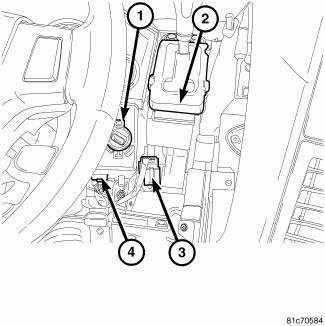
Fig. 407: Identifying Electrical Connectors At WIN & Shifter
4. Connect the electrical connectors (3, 4) at the WIN (1) and the shifter (2).
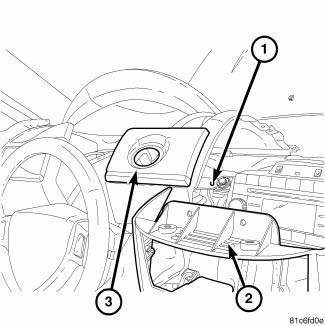
Fig. 408: Removing/Installing I/P Cover
5. Install the I/P cover (3).
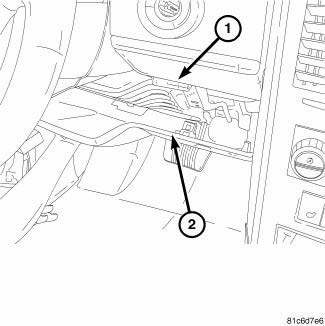
Fig. 409: Identifying Knee Blocker
6. Install the knee blocker (2).
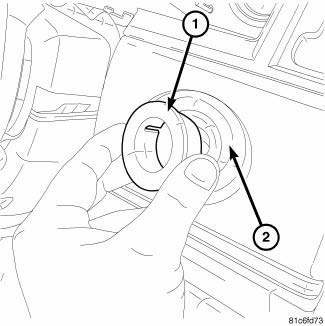
Fig. 410: Removing/Installing Ignition Switch Bezel
7. Install the shift knob.
8. Install the ignition switch bezel (1) to I/P cover (2).
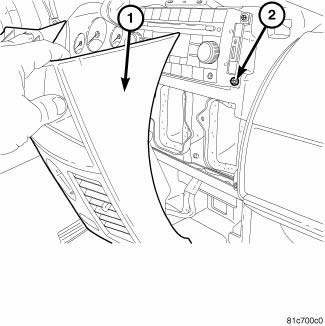
Fig. 411: Pulling Center Stack Back
9. Install center stack cover (1) back into position.
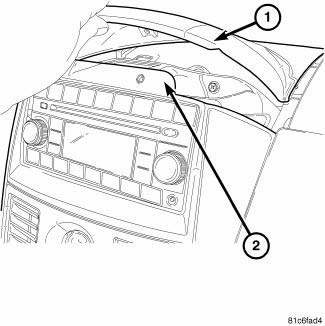
Fig. 412: Removing/Installing Center Stack Cover
10. Install the center stack top cover (1) back.
11. Install the cluster bezel.
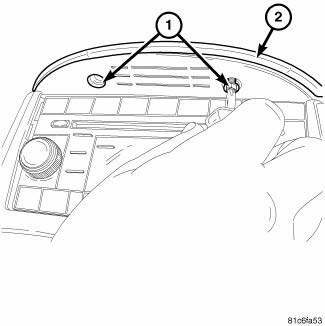
Fig. 413: Removing/Installing Screws At Center Stack Cover
12. Install the screws (1) at the center stack cover (2).
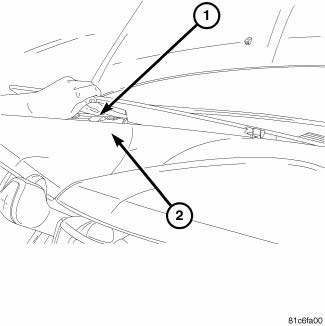
Fig. 414: Removing/Installing Defroster Cover
13. Install the defroster cover (1).
14. Connect the battery cable.
 Removal
Fig. 393: Removing/Installing Defroster Cover
1. Disconnect the negative battery cable.
2. Using a trim stick remove the defroster cover (1).
Fig. 394: Removing/Installing Screws At Center St ...
 Solenoid, pressure control
DESCRIPTION
Fig. 415: Identifying Variable Line Pressure Components
- PRESSURE CONTROL SOLENOID
- LINE PRESSURE SENSOR
- SHOULDER SCREW
- VARIABLE LINE PRESSURE HEADER
- MANUAL SHAFT
...
See also:
Engine diagnosis
ENGINE DIAGNOSIS - INTRODUCTION
Engine diagnosis is helpful in determining the causes of malfunctions not
detected and remedied by routine
maintenance.
These malfunctions may be classified as e ...
RECREATIONAL TOWING (BEHIND MOTORHOME, ETC.)
TOWING THIS VEHICLE BEHIND ANOTHER VEHICLE (Flat Towing With All Four
Wheels On The Ground)
Recreational towing for this vehicle is not recommended.
NOTE: If the vehicle requires towing, make sure ...
OVERHEAD CONSOLE
The overhead console contains courtesy/reading lights,
storage for sunglasses, an interior observation mirror and
an optional power sunroof switch.
Overhead Console
Courtesy/Reading Lights
Refe ...
